A number without an app
Customers scan the QR code and get a number in their browser.
 Ideas are worth sharing.
QUEUE MANAGEMENT MODULE
A QR code at the entrance, a number on the phone. Customers follow their call while your team manages arrivals from one workspace.
No account needed for the demo
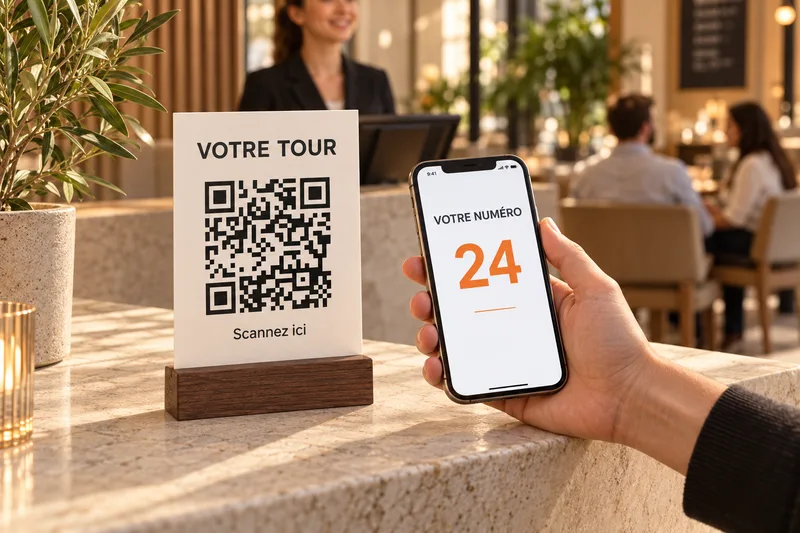
Customers scan the QR code and get a number in their browser.
The number and its status stay available on the phone. A reception screen can also display calls.
Call the next customer or choose a group based on available seats. Track arrivals and departures.
Restaurant, café, counter or service desk: adapt queue and desk names to your business.
QUEUE MANAGEMENT MODULE
We help define your queues, reception desks and QR displays. One queue for your location. Hardware and on-site installation are separate.
Available on its own, with no other subscription required, or included in Restaurant. Activation follows confirmation of your subscription.
Queue management
One queue, one location.
Entry QR, tickets, calls and reception display.
No other subscription required.
Queue management is included in Restaurant.
90 DH/ month
900 DH / year · Paid in full for twelve months.
Hardware, SMS and on-site installation are not included.
Download the brochurePDF · 2 pages
Download the brochurePDF · 2 pages
At a restaurant, café or service desk, customers get a number on their phones. Staff manage arrivals from their workspace while customers follow their call on the open page.
No. The journey asks for neither an account nor a phone number. Customers scan the QR code and keep their page open to follow their call.
Their number and its status remain available on their phones. A reception screen can also display calls. This journey does not rely on SMS notifications.
No. Queue management is available on its own, with no other subscription required. It is also included in Restaurant. See the pricing page to choose the right plan.
Yes. They can call the next customer or select a group based on available seats, then confirm arrival and complete the welcome.
Prepare a visible QR display at the entrance and a connected device for staff. Customers use their phones with Internet access. A reception screen is optional; hardware and on-site installation are separate.
Yes. The demo is available without an account. Get a number, switch to the staff view and simulate a call. It uses a fictional example and creates no real tickets.